Click Load driver at the Where do you want to install Windows? screen.
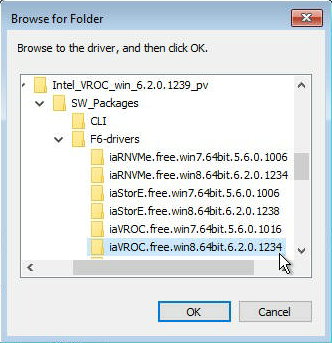
Click Browse and navigate to the location of the RAID driver downloaded in Step 1 then click OK.
Example image
Note
The Intel® VROC driver package contains multiple folders. Use iaVROC.free.OS_ver for VROC NVMe and iaStorE.free.OS_ver for VROC SATA (formerly known as Intel® Rapid Storage Enterprise)
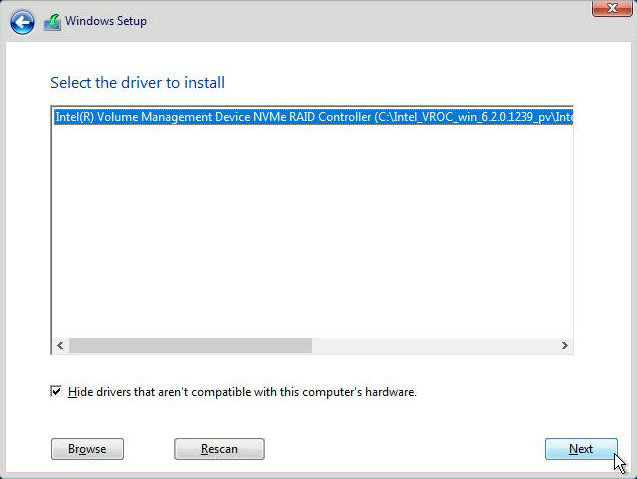
Click your Intel® RAID controller the click Next to install the driver.
Example image
You should now see the RAID volume detected by the Windows installer. Otherwise, click the Rescan button.